Your Class Just Got a Voice: The Live Poll Widget is Here
Admin
Apr 12, 2026
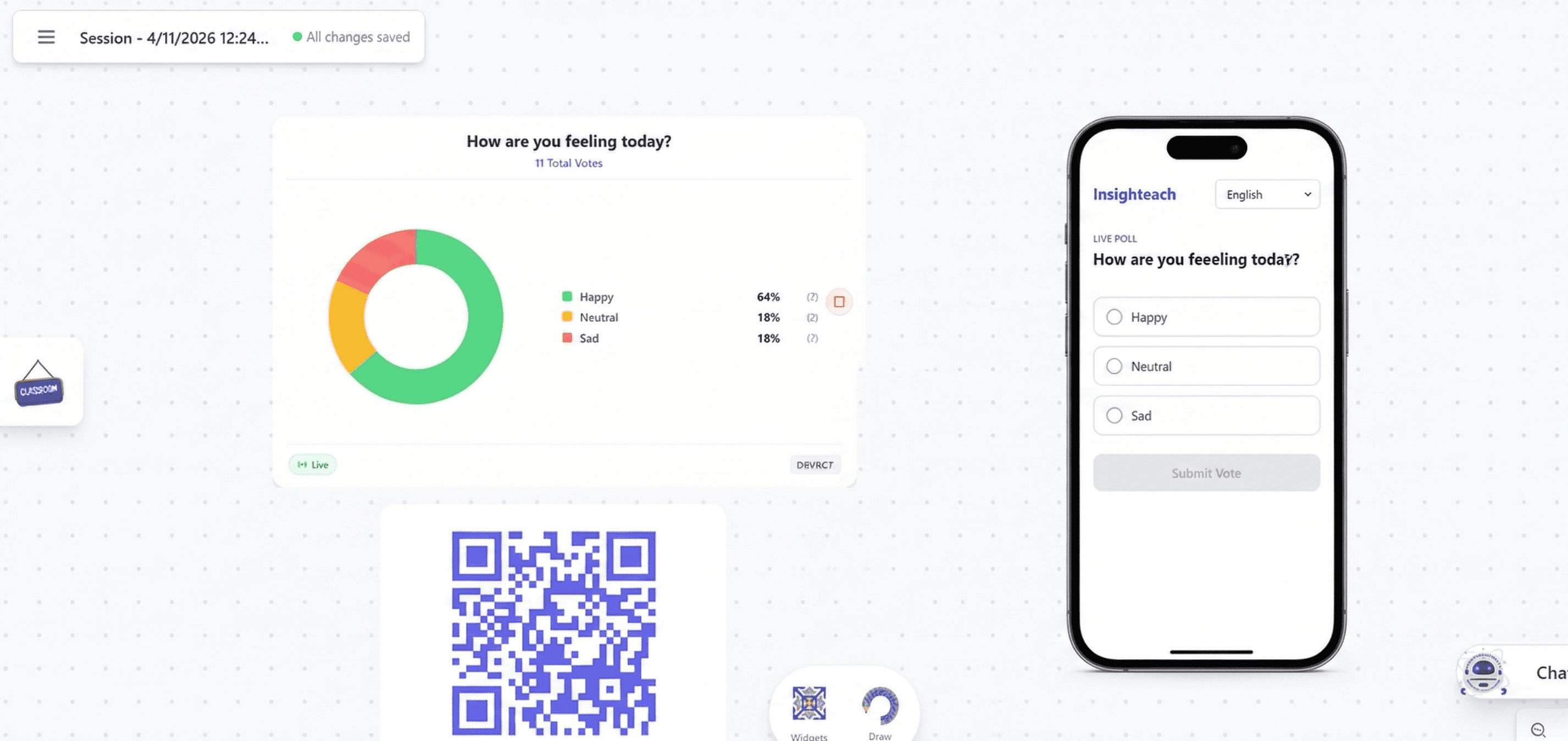
Raise your hand if you understand. Keep it up if you agree. Put it down if you're not sure.
It's the oldest trick in the teaching playbook — and it works, mostly. But hands go up because friends' hands go up. Quiet students stay quiet. And you never really know what the whole class is thinking.
The Live Poll widget in Insighteach just changed that. Students now vote from their own devices, in real time, and the results appear live on your canvas as they come in.
What Changed
The Poll widget has always been part of Insighteach — but until now, it was a manual tool. You'd click the voting buttons yourself to tally responses while students called out answers. Useful, but limited.
Now, when you publish a poll as a live session, students get a unique join link. They open it on their phone or laptop, pick their answer, and submit. The results stream back to your canvas instantly over a live connection — no refreshing, no waiting, no manual counting.
Setting Up a Live Poll Takes Under a Minute
- Drop a Poll widget onto your canvas
- Type your question and choose a poll type
- Add your answer options if using Multiple Choice
- Click Publish Live Poll
- A dialog appears with a QR code and a 6-character join code
- Optionally drop the QR code directly onto your canvas so students can scan it
- Start teaching — votes roll in as students respond
That's it. The widget switches into live mode and shows a real-time pie chart that updates with every vote.
Three Poll Types for Every Situation
Yes / No — The fastest check-in. Perfect for comprehension checks, quick decisions, or opinion splits. Rendered with clear thumbs up / thumbs down buttons on the student side.
Sentiment — A three-option mood check: Happy, Neutral, or Sad. Great for gauging energy at the start of class, checking how students feel about a topic, or wrapping up a lesson.
Multiple Choice — Up to 12 fully custom answer options. Use it for single-question quizzes, vocabulary checks, scenario-based questions, or anything where you need more than two choices.
Students Join in Seconds
No app download. No account needed. Three ways to join:
- Scan the QR code displayed on the canvas
- Visit the link directly on any browser
- Type the 6-character code at the join page
Students enter their name, pick their answer, and tap Submit. They see a confirmation screen immediately. The whole process takes about ten seconds.
If you've linked a classroom to the poll, students enter their student number instead — the system verifies enrollment and prevents duplicate votes automatically.
Results Live on Your Canvas
The pie chart on your canvas updates in real time as votes come in, with color-coded segments, labels, vote counts, and percentages. You stay in full control of what students see:
- Hide / Show Results — keep the chart hidden while voting is open, then reveal everything at once for maximum impact
- Lock / Unlock Voting — cut off new submissions whenever you're ready, without ending the session
Students only see a confirmation after they vote — the results display lives on your canvas, for you to reveal on your terms.
Built for Real Classroom Moments
The Live Poll works for more scenarios than you might expect:
- Formative assessment — "Do you understand this concept before we move on?"
- Icebreakers — a fun question to open class and get everyone engaged
- Debate prep — poll the class before and after a discussion to show how opinions shifted
- Decision-making — let students vote on which topic to explore next
- Mood checks — use Sentiment at the start of class to read the room before diving in
Want to hear what your whole class is thinking — not just the students with their hands up? The Live Poll widget is live now. Try it in your next lesson. Insighteach is currently offering a free Pilot Pro plan for individual teachers, with full access to every widget including Live Poll.
Every student has an opinion. Now they all have a way to share it.